


Edit your personal details
Change your first name, last name or email address in the client area.
Your personal details appear on your invoices. Keep them up to date, especially your email address, which receives every important message.
- Open Account → Personal Details
In the left-hand menu, expand Account and click Personal Details.
- Edit the fields
First name, last name and email can be changed.
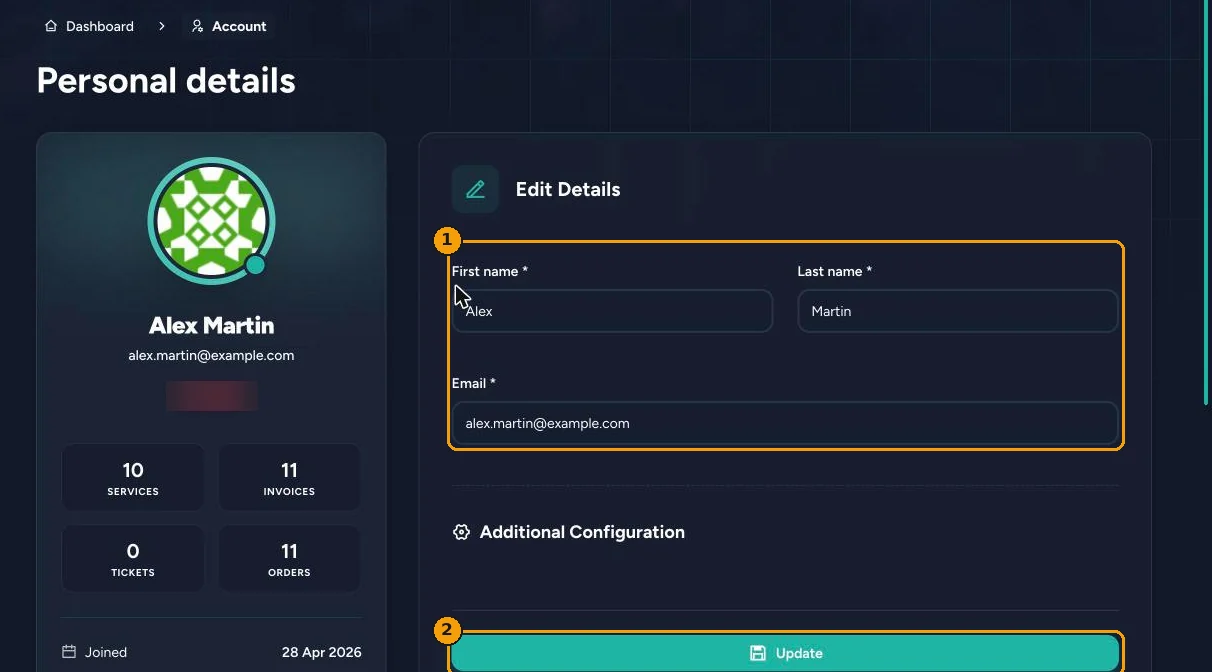
The editable fields (1) and the Update button (2). - Save
Click Update.
If you change your email address, use one you actually read: it is the one that receives password reset links.
The card on the left sums up your account: number of services, invoices, tickets and orders, and the date you joined.
Need a hand?
The Koinswift team answers 7 days a week, by ticket from your client area or on Discord.