


Create your Koinswift account
Create a customer account on the Koinswift store in three steps, with an email address or with Google or Discord.
Your Koinswift account gives you access to the client area: this is where you order servers, pay invoices, open tickets and reach the panel that manages your servers. Creating an account is free and does not require a bank card.
Create an account with an email address
- Open the sign-up page
Go to store.koinswift.com/register, or click Register at the top right of the store.
- Enter your first and last name
This information appears on your invoices. Then click Continue.
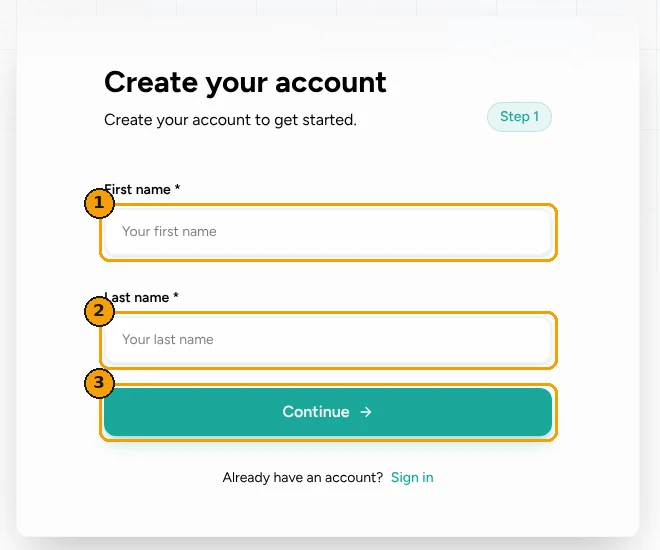
Step 1: first name (1), last name (2), then Continue (3). - Choose your email address and password
Use an email address you check regularly: it receives your invoices, the confirmation that your server has been created and the replies from support. Type the same password twice.
- Accept the terms and confirm
Tick the box accepting the Terms and Conditions of Sale, then confirm to create your account.
To order the free FreeBox, your email address must be verified. Disposable (temporary) email addresses are not accepted.
Create an account with Google or Discord
On the sign-in page, the Sign in with Google and Sign in with Discord buttons create your account from that service, with no password to invent. You will then always sign in with the same button.
What next?
Once signed in, you land on the client area dashboard. You can order a server from the website or from the New order button.
Need a hand?
The Koinswift team answers 7 days a week, by ticket from your client area or on Discord.