


Create and use a database
When to use a MySQL database, check whether your plan includes one, and create it from the panel.
A database (MySQL/MariaDB) stores structured information. Some plugins use one: leaderboards, economy, punishments, player accounts, or FiveM frameworks (ESX, QBCore).
Does your plan include databases?
Look at the database line in your service’s resources (service page in the client area). If the value is 0, the panel page shows:
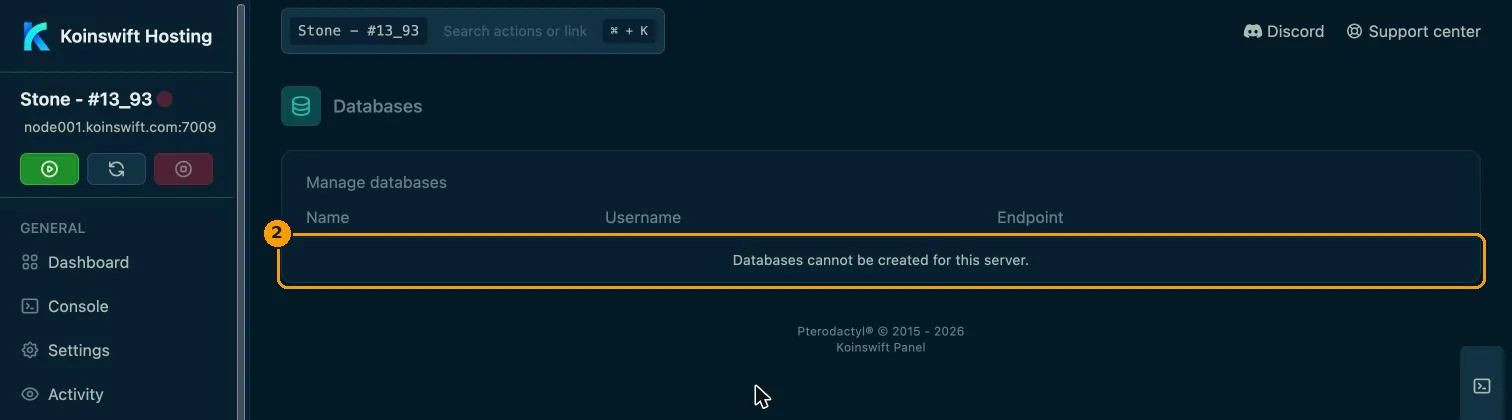
In that case, move to a plan that includes them, or open a ticket to find out what is possible.
Create a database
- Open Databases
Databases menu, create button.
- Name the database
Choose a short name (for example
economy). Leave the allowed-connections field at its default value unless you have a specific need. - Get the credentials
The panel shows the endpoint (host and port), the database name, the username and the password.
- Enter them in your plugin
Copy these values into the plugin’s configuration file, then restart the server.
Never share the database password. If in doubt, regenerate it from the panel.
Need a hand?
The Koinswift team answers 7 days a week, by ticket from your client area or on Discord.