


Change plan: upgrade or move to a lower plan
Move to a higher or lower plan of the same game from the client area, without losing your files.
Is your server short on memory or power? An upgrade moves it to a higher plan for the same game. The change applies immediately and your files are kept.
- Open the service
Under Services, click the server you want to upgrade.
- Click “Upgrade”
The button is in the Actions block.
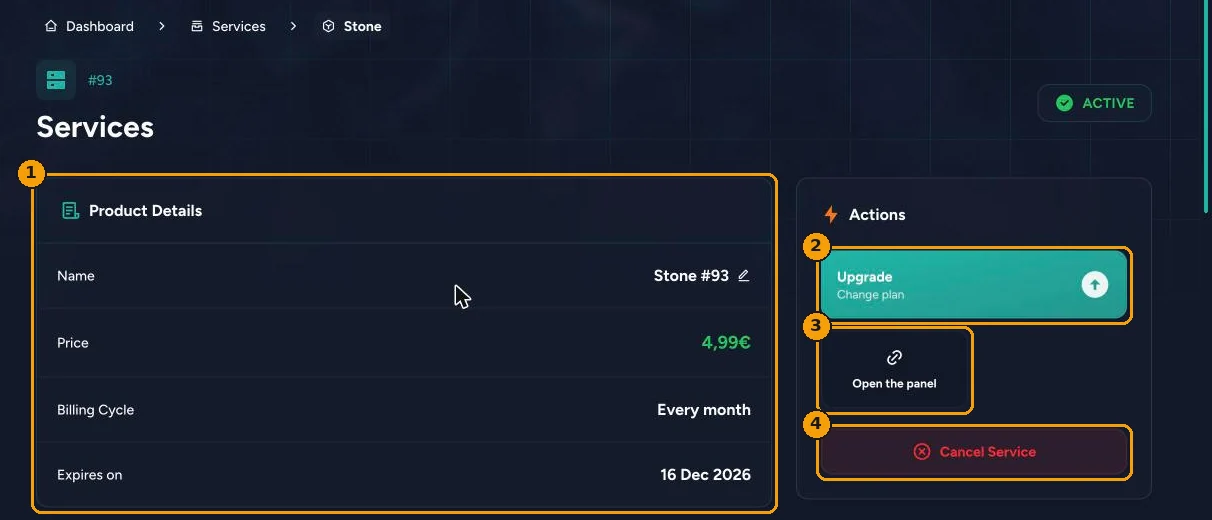
The Upgrade button (2). - Choose the new plan
Your current plan is marked Current Plan. Click the plan you want: the summary on the right shows the Total Today.
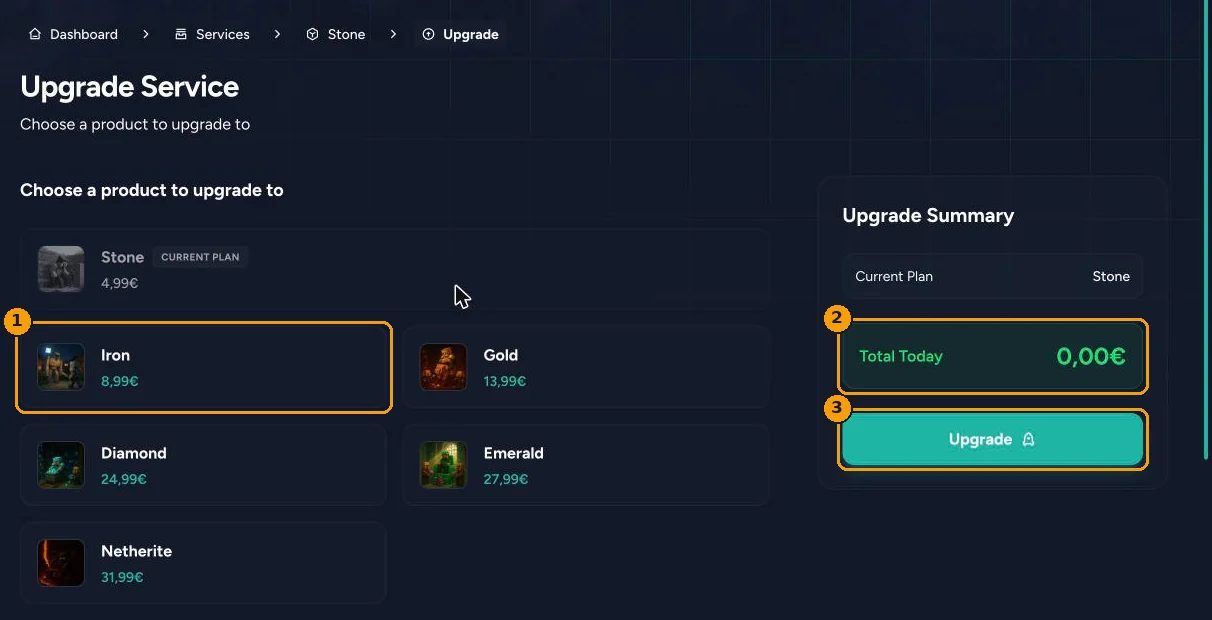
New plan (1), amount due today (2), confirm (3). - Confirm and pay
Click Upgrade, then pay the corresponding invoice.
The FreeBox upgrades the same way, to a plan of the same game: Upgrade button on your FreeBox page. It stays the same server: world, files and connection address are kept. Details in Move from the FreeBox to a paid plan.
Move to a lower plan
The same Upgrade button lets you pick a smaller plan of the same game. There is nothing to pay: the change applies right away and the new price applies from your next renewal.
Resources (memory, CPU, storage) drop immediately. Check that your files fit in the new plan’s storage and that the player slots are enough for you.
Good to know
- Amount due: the difference between the two plans, prorated to the days left until your next renewal.
- Your files: it stays the same server, nothing is reinstalled. Restart it from the panel to use the new resources.
- Peak and Ryzen ranges: if the new plan runs on another machine, the server is moved there automatically and you receive a ticket with the new connection address.
- One request at a time: while a plan-change invoice is pending, the button is locked.
- Changing game is not done with this button: see Change the game of your paid server.
Need a hand?
The Koinswift team answers 7 days a week, by ticket from your client area or on Discord.