


View and download your invoices
Find an invoice, read its details and download it as a PDF.
All your invoices are gathered in the Invoices section of the client area.
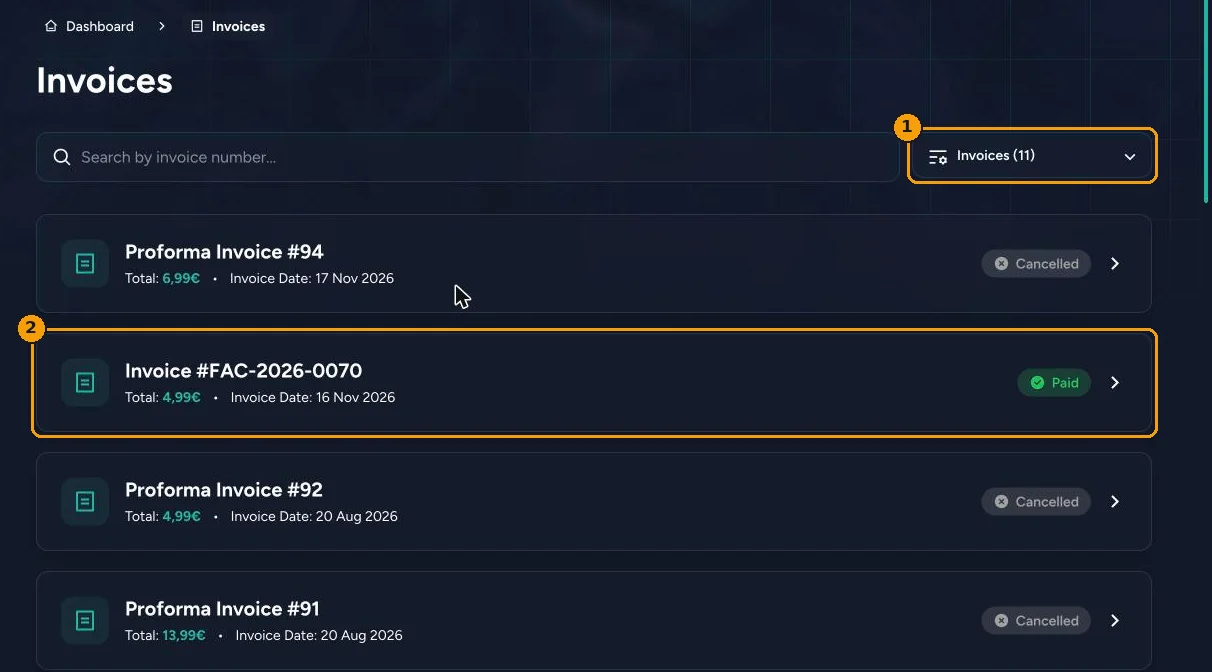
Open an invoice
Click an invoice to show its details.
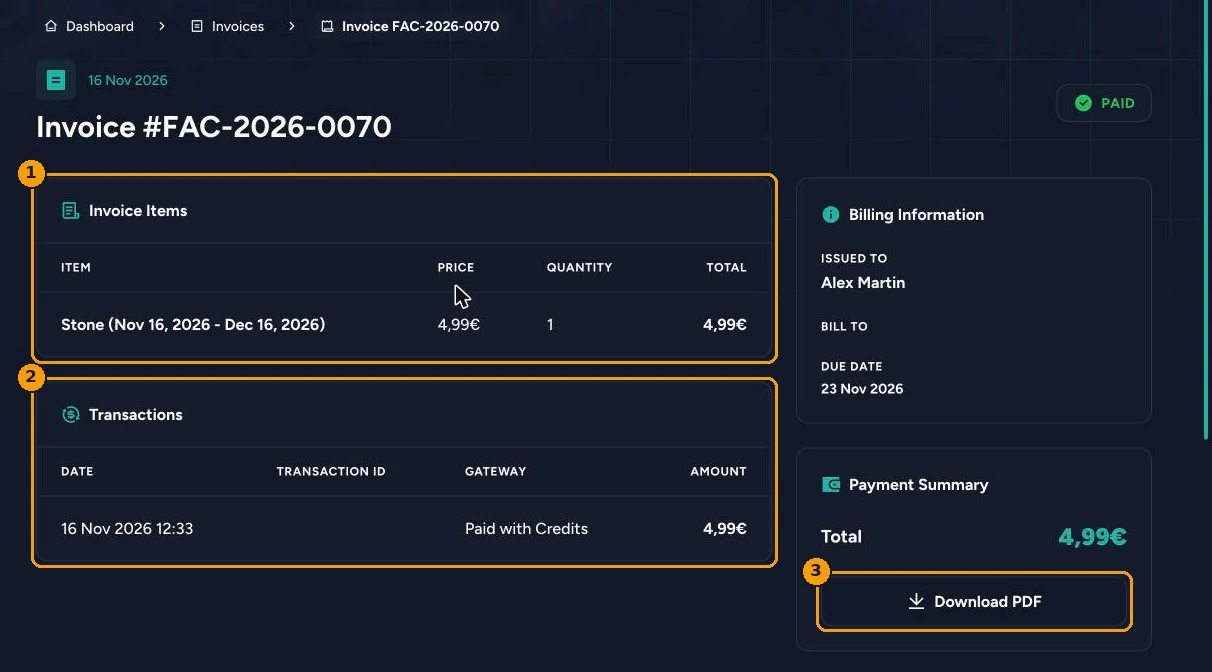
- Invoice Items: the service invoiced and the period covered (for example 16 November to 16 December).
- Transactions: the payments received, their date and the method used (Stripe, credit…).
- Billing Information: the account holder and the due date.
Download the PDF
Click Download PDF. The file can be used as proof of payment, for example for an expense claim.
Need a hand?
The Koinswift team answers 7 days a week, by ticket from your client area or on Discord.