


Rename your server and edit its description
Change the name shown in the panel to find your way around several servers.
The server name in the panel helps you find your way around. It does not change the name shown in the game (that is set in the game’s configuration).
- Open Settings
In the server menu, click Settings.
- Edit the name and description
Change Server Details block.
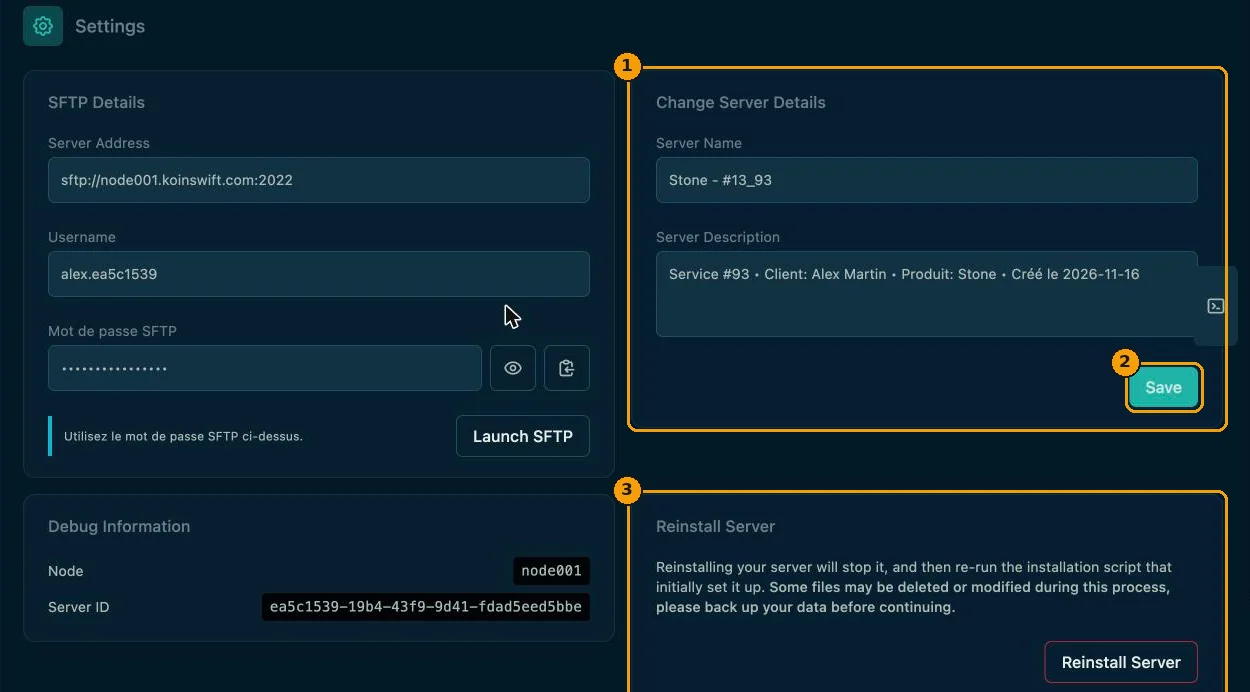
Server details (1), Save button (2), reinstallation (3). - Save
Click Save.
The description contains details that are useful to support (service number, plan, creation date). If you edit it, keep this information.
Need a hand?
The Koinswift team answers 7 days a week, by ticket from your client area or on Discord.