


Find your server’s address and port
Where to find the connection address to give your players, and how to enter it in the game.
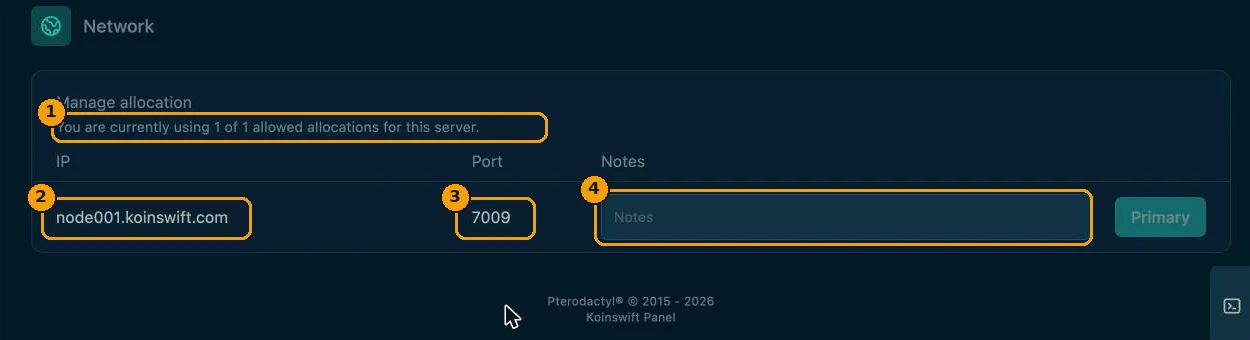
To join your server, your players need its address and its port. The port is the number after the colon.
Example: node001.koinswift.com:7009 → address node001.koinswift.com, port 7009.
Where to find it
- in the panel, under the server name (left-hand menu) and on its card in the server list;
- in the panel, Network page (address and port of each allocation);
- in the client area, on the service page, IP address field.
How to enter it in the game
| Game | Expected format |
|---|---|
| Minecraft Java | The full address with the port: node001.koinswift.com:7009. |
| Minecraft Bedrock | Address and port in two separate fields. |
| FiveM | In the F8 console: connect node001.koinswift.com:PORT. |
| Rust | In the F1 console: client.connect node001.koinswift.com:PORT. |
| Other games | See the game’s connection guide in the documentation. |
Need a hand?
The Koinswift team answers 7 days a week, by ticket from your client area or on Discord.