


Use the console and send commands
Read the server’s messages live and send it admin commands.
The console shows everything the server writes, live: startup, player connections, errors. It also lets you send commands, as if you were an admin in game.
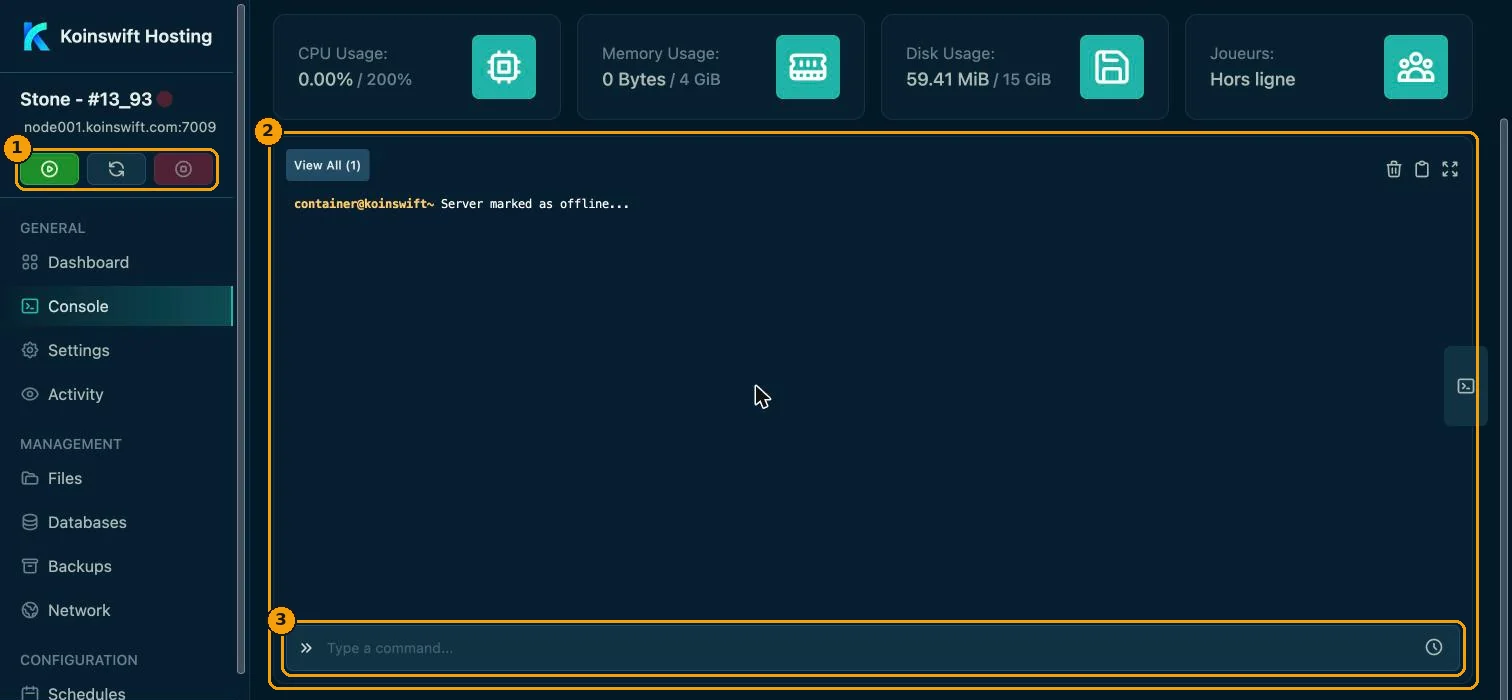
- Open the console
Console menu. The server must be running to accept commands.
- Type a command
In the command field at the bottom, type the command and press Enter.
- Read the answer
The result is shown in the console.
In the console, most games expect commands without the slash. Minecraft example: type op PlayerName, not /op PlayerName.
Console tools
- The clock icon on the right of the field recalls commands you have already sent.
- The icons at the top right of the console clear the display, copy its content and switch to full screen.
- The notifications button shows the panel’s notifications.
The small floating button on the right of the screen opens a mini-console available on every panel page.
Need a hand?
The Koinswift team answers 7 days a week, by ticket from your client area or on Discord.