


Rename, move, copy and delete files
The actions of the ••• menu and of multiple selections, and recovery through the trash bin.
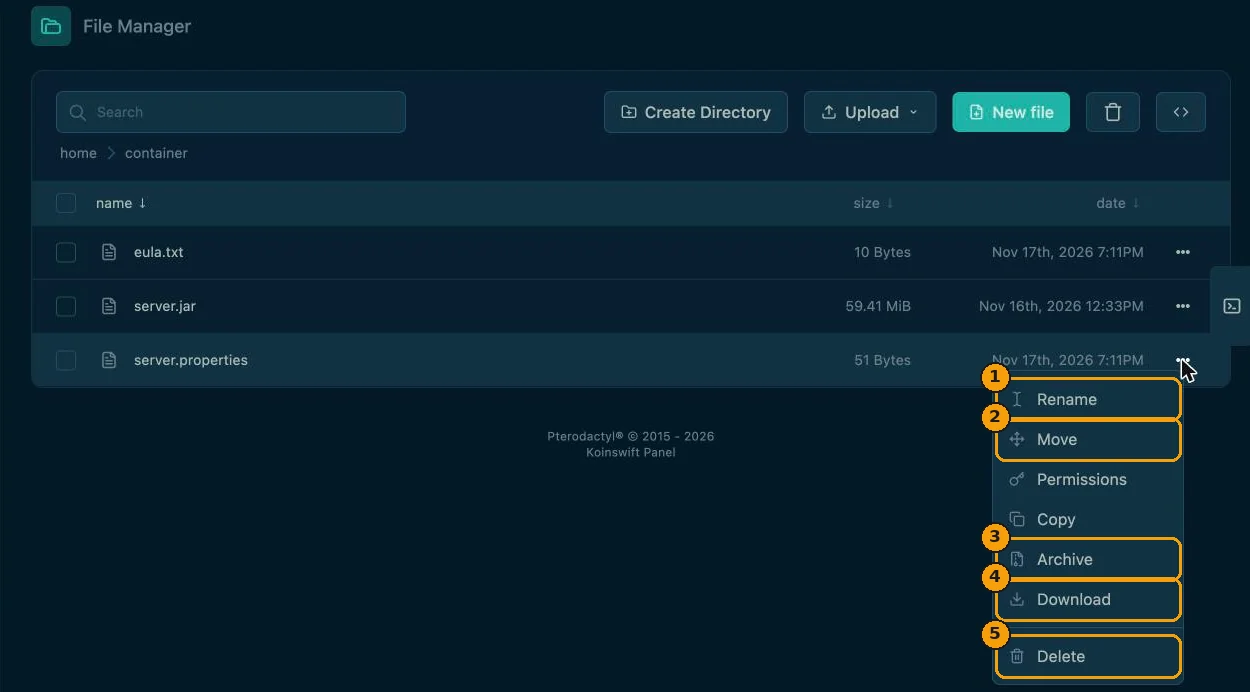
| Action | Effect |
|---|---|
| Rename | Changes the name of the file or folder. |
| Move | Sends the item to another folder: enter the destination path (for example /plugins). |
| Permissions | The file’s access rights. Only change them if a guide tells you to. |
| Copy | Creates a copy in the same folder. Handy before editing a file. |
| Archive | Creates a compressed archive. |
| Download | Retrieves the file to your computer. |
| Delete | Sends the item to the trash bin. |
Acting on several items
Tick several rows: the Archive, Move and Delete buttons appear at the top of the list.
Recover a deleted file
Deleted items go to the trash bin (bin icon at the top). They stay there for 3 days, then are permanently deleted.
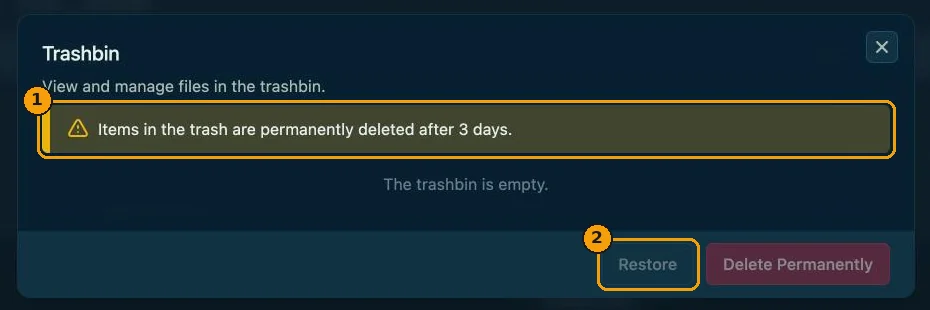
- Open the trash bin
Bin icon next to New File.
- Select the items
Tick what you want to recover.
- Click “Restore”
The items go back to where they were. Delete Permanently deletes them for good.
Never delete all the server’s files: without its game files, it can no longer start and must be reinstalled.
Need a hand?
The Koinswift team answers 7 days a week, by ticket from your client area or on Discord.