


Download files to your computer
Retrieve a file, a folder or a whole world from the panel.
The file manager downloads files. For a folder (a world, for example), create an archive first.
- For a folder: archive it
Tick it, then click Archive.
- Open the file menu
Click ••• on the right of the file or archive.
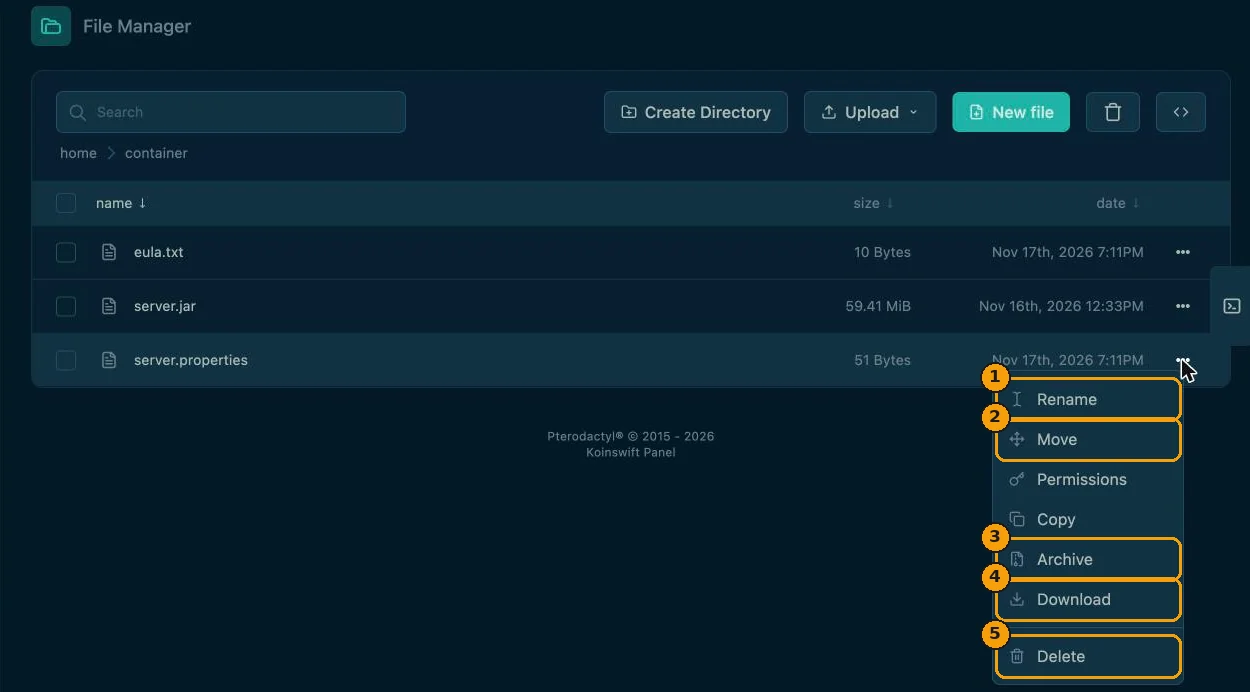
Rename (1), Move (2), Archive (3), Download (4), Delete (5). - Click “Download”
The file is saved to your browser’s download folder.
Remember to delete the archive from the server once downloaded: it uses disk space counted in your plan.
Need a hand?
The Koinswift team answers 7 days a week, by ticket from your client area or on Discord.