


Edit a configuration file in the panel
Open, edit and save a text file (server.properties, .yml, .json, .cfg…) with the built-in editor.
The built-in editor edits text files directly on the server, with syntax highlighting.
- Open the file
In Files, click the file name.
- Edit the content
The editor opens. The selector at the top shows the detected format (Properties, YAML, JSON…).
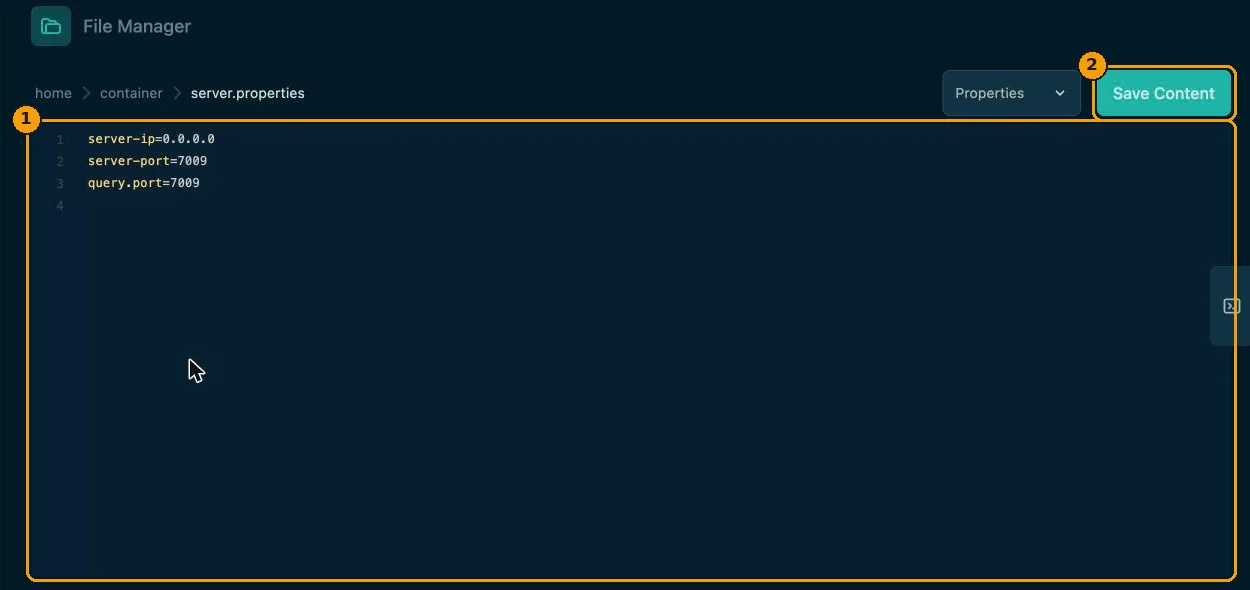
Editing area (1) and Save Content button (2). - Save
Click Save Content.
- Restart the server
Most games only read their configuration at startup.
Good practice
- Stop the server before editing a file that the game rewrites when it stops (otherwise your changes may be overwritten).
- In a YAML file (.yml), indentation (the spaces at the start of a line) matters: use spaces, never tabs.
- In a JSON file, every comma and every quotation mark matters: a mistake often prevents the server from starting.
- Before a major change, copy the file (••• menu → Copy) to keep the original.
Do not change the server address or port in configuration files (for example server-port): they are managed by the panel.
Need a hand?
The Koinswift team answers 7 days a week, by ticket from your client area or on Discord.