


Upload files and folders to your server
Upload from your computer or from a URL: worlds, plugins, mods, configurations.
The Upload button offers three ways to add files.
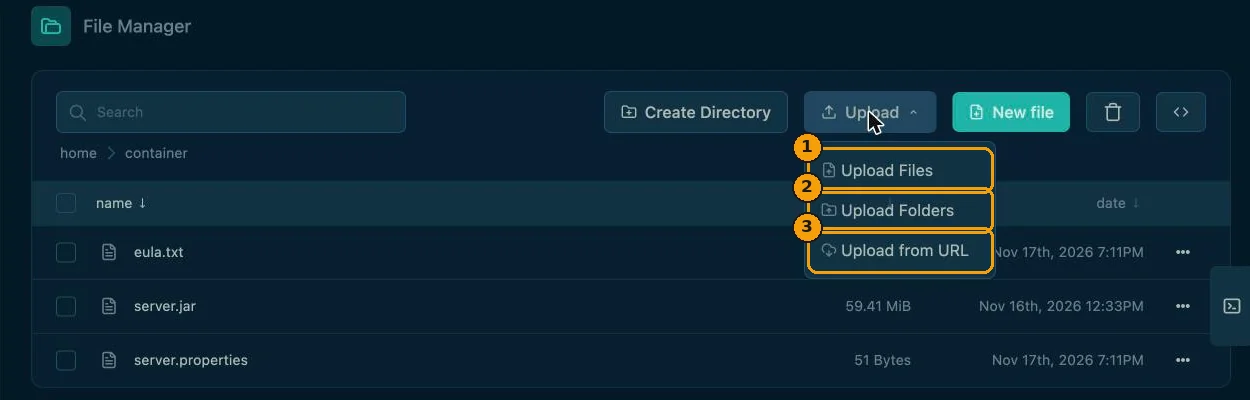
| Option | When to use it |
|---|---|
| Upload files | One or more files: a .jar plugin, a configuration file… |
| Upload folders | A whole folder with its contents. |
| Upload from URL | The server downloads the file itself from a direct link, without going through your connection. Ideal for large files. |
- Open the right folder
For example
pluginsbefore uploading a plugin. - Upload
Choose the option, then the files. You can also drag and drop files onto the page.
- Wait until the upload finishes
Do not close the tab during the upload.
For a large world or modpack, upload an archive (.zip or .tar.gz) and then unarchive it on the server: it is much faster than thousands of small files. For very large amounts of data, use SFTP.
Need a hand?
The Koinswift team answers 7 days a week, by ticket from your client area or on Discord.