


View the activity log
Know who did what on your server: starts, edited files, SFTP connections.
The Activity page records the actions taken on the server.
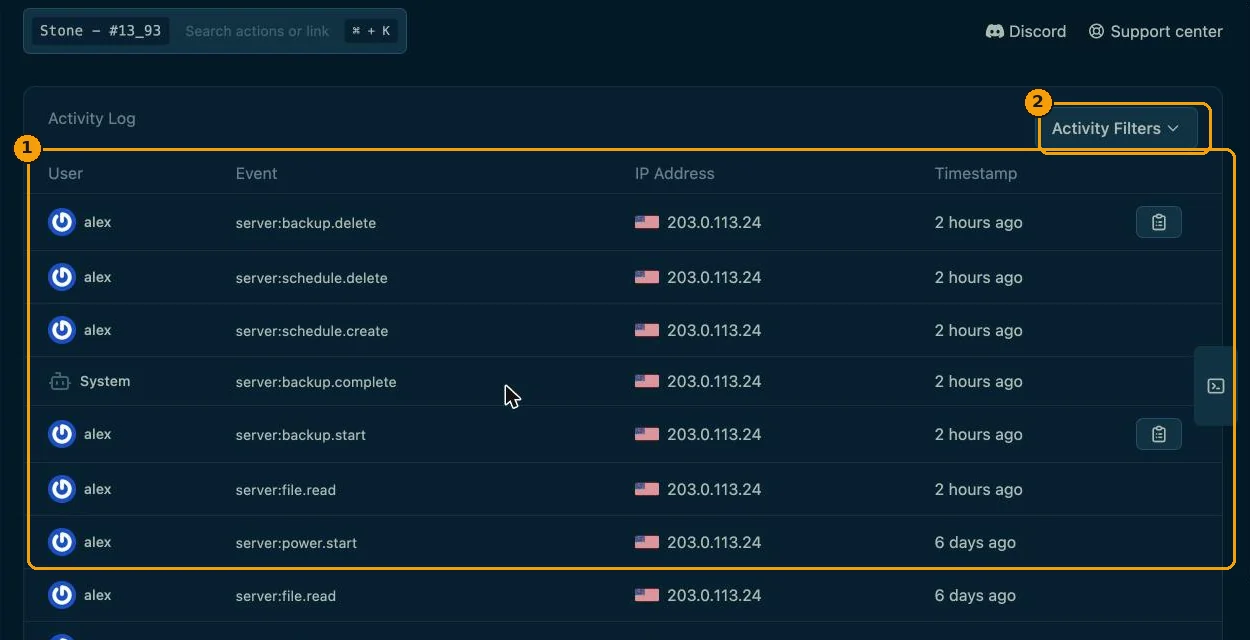
| Column | Content |
|---|---|
| User | The account that carried out the action. |
| Event | The action, for example server:power.start (start), server:file.write (file edited), server:file.read (file opened). |
| IP Address | The IP address the action came from. |
| Timestamp | The date of the action. |
The Activity Filters button filters the list by event type.
An action you do not recognise? Contact support.
Need a hand?
The Koinswift team answers 7 days a week, by ticket from your client area or on Discord.