


Administer your ARK server: admin password and commands
Enable admin commands in game and manage players from the panel console.
The admin password (the Mot de passe administrateur variable on the Startup page) protects all admin commands. Make it long and unique.
In game
- Open the game console
Tab key on PC.
- Enable commands
Type
EnableCheatsfollowed by your admin password. - Use the commands
Prefix them with
cheat, for examplecheat Broadcast Restart in 5 minutes.
EnableCheats AdminPassword
cheat ListPlayers
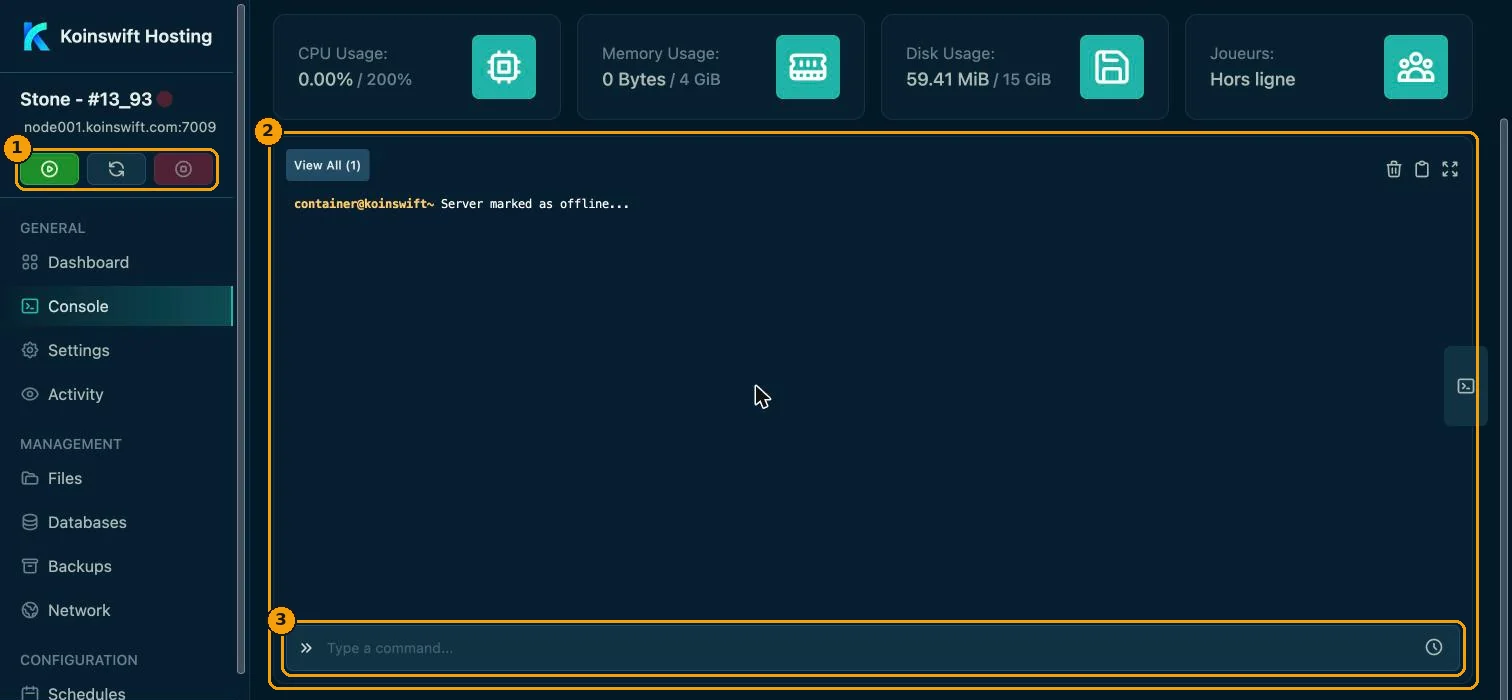
From the panel console
The panel console sends commands straight to the server, without cheat or EnableCheats.
| Command | Effect |
|---|---|
ListPlayers |
Lists connected players with their ID. |
Broadcast message |
Shows a message to all players. |
KickPlayer ID |
Kicks a player. |
BanPlayer ID |
Bans a player. |
SaveWorld |
Saves the game immediately. |
DestroyWildDinos |
Removes wild creatures (they respawn afterwards): useful after changing rates. |
Run SaveWorld before a shutdown or a backup restore. A restore rolls everyone’s progress back, creatures and inventories included: warn your players.
Need a hand?
The Koinswift team answers 7 days a week, by ticket from your client area or on Discord.