


Move from the FreeBox to a paid plan
Upgrade your FreeBox to a paid plan of the same game, keeping your world, your files and your address.
Your FreeBox turns directly into a paid plan: it stays the same server, with the resources of the plan you choose. Your world, your files and your connection address are kept, and the FreeBox limits (shared resources, automatic shutdown with no players) no longer apply.
Steps
- Open your FreeBox
In the shop, under Services, click your FreeBox.
- Click “Upgrade”
The button is in the Actions block of the page.
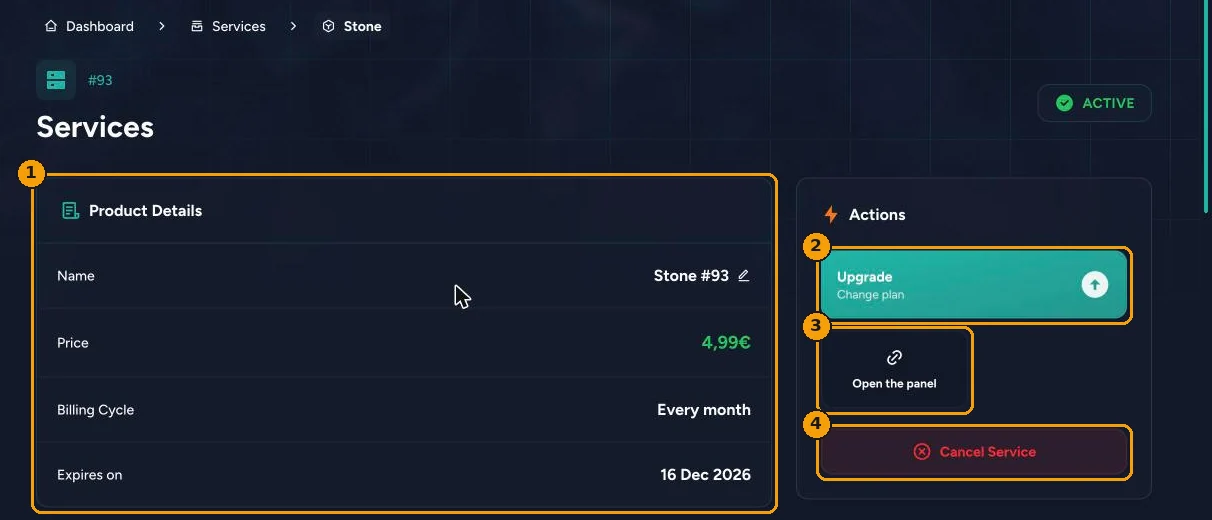
The Upgrade button (2), shown here on a paid plan: it is in the same place on a FreeBox. - Choose your plan
Plans of the same game are offered. The summary shows the amount due today: the plan price, prorated to the days left before your FreeBox renewal date.
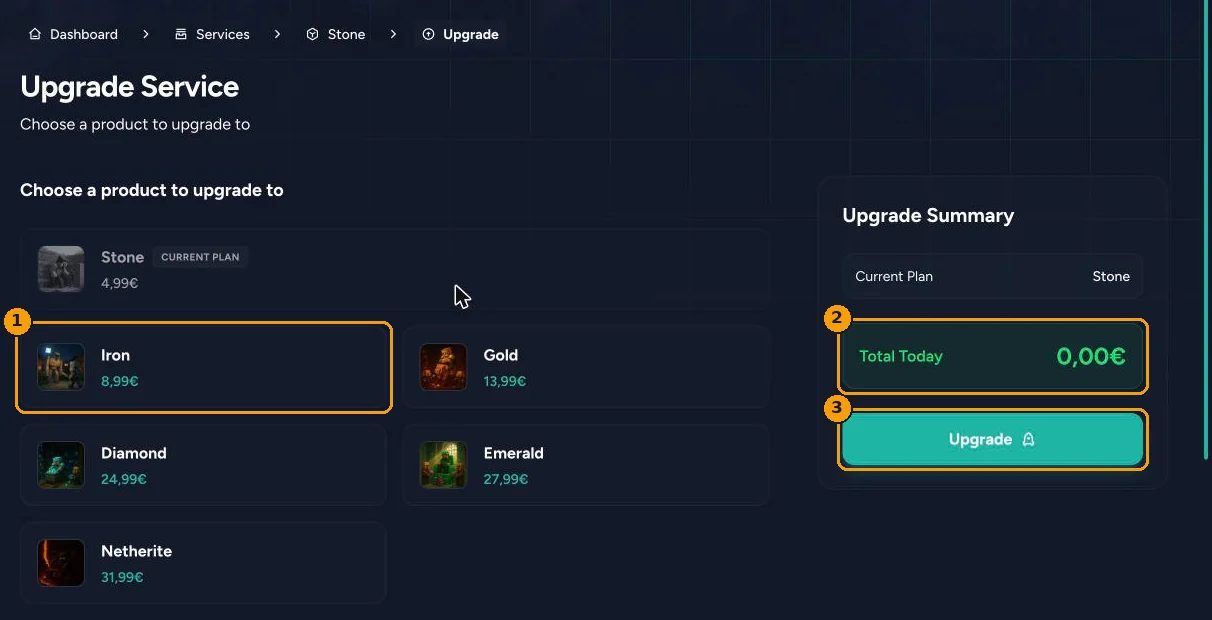
New plan (1), amount due today (2), confirm (3). - Confirm and pay
Click Upgrade, then pay the invoice. The change applies as soon as it is paid.
- Restart the server
From the panel, restart the server so it starts with its new resources. Your players connect to the same address.
The plan renews every month at the chosen price. Later you can move to a higher or lower plan of the same game (see Change plan); going back to the FreeBox is not offered.
Would you rather keep your FreeBox and open a second server? The tutorial Move from the FreeBox to a paid plan in 5 minutes explains how to copy your world from one server to the other.
Need a hand?
The Koinswift team answers 7 days a week, by ticket from your client area or on Discord.