On August 5, 2026, Discord updated the official documentation of its Game Servers feature. The main change fits in one sentence: Server Boosts are no longer required to get a server. Any user can take out a monthly subscription from the shop built into the app, with their own payment method, then share the server address with whomever they want.
Discord still presents its game servers as an experiment, limited to certain accounts and communities. The documentation, however, is now very detailed: creation modes, resource tiers, billing rules, machine life cycle. Enough to understand precisely what is offered — and what isn’t.
Two ways to get a server, only one is new
The first route already existed. The owner or an admin of a Discord community applies Server Boosts to the feature, which unlocks a game server for all members. Discord states a minimum cost of three Boosts, varying with the game and the tier chosen, and specifies that this amount may be adjusted over time.
Server Boost: a paid subscription that members apply to a Discord community to unlock perks for it. Boosts dedicated to a game server don’t count toward the community’s level: they are two separate counters.
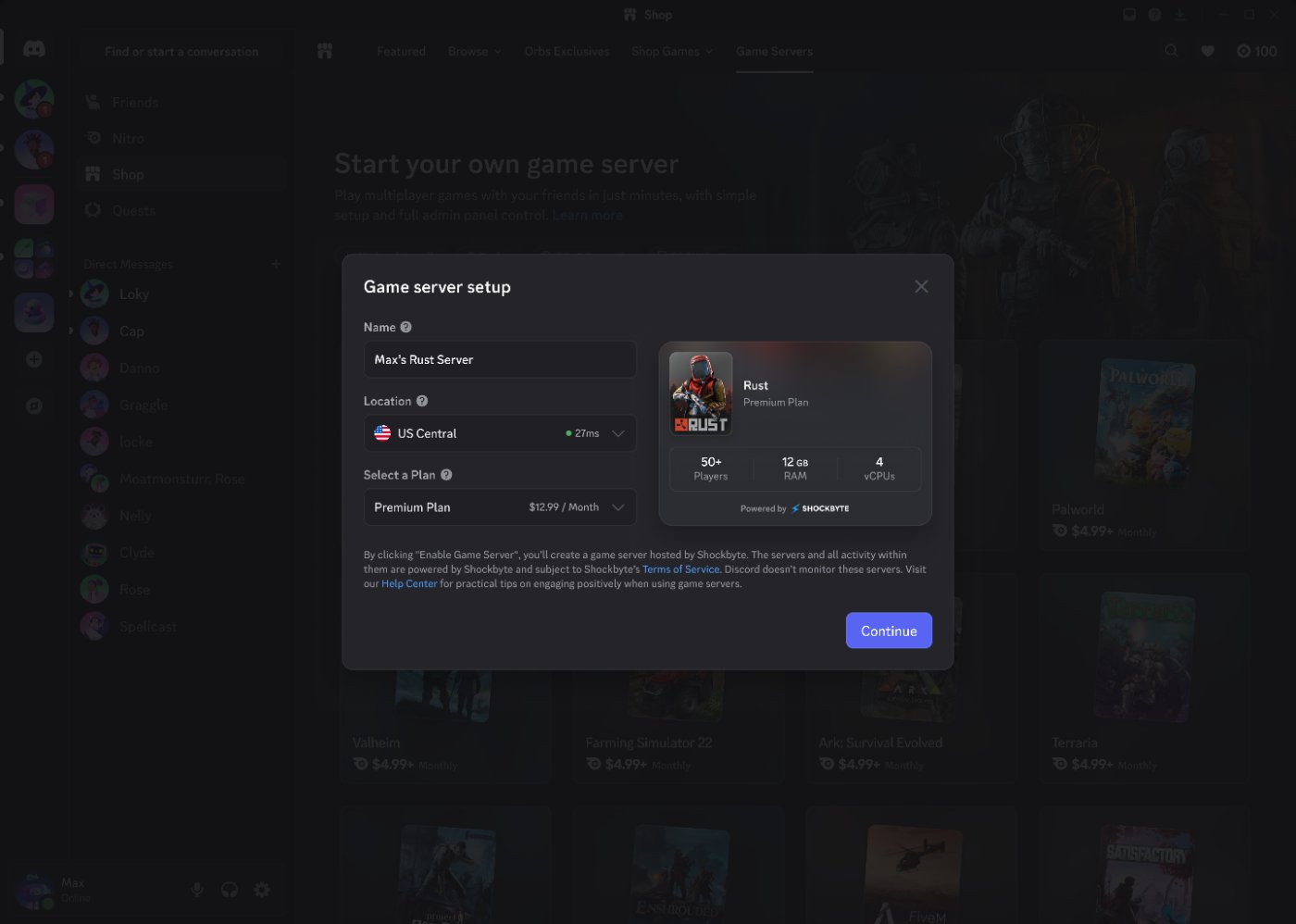
The second route is the one documented by the update. From the Game Servers tab of the shop, a user picks a game, names it, selects a location and a plan, then pays directly. Two clear limits apply: five active subscriptions at most per account, and ten game servers at most per Discord community. The platform also notes that a server can take up to an hour to become available after payment, and that Nitro subscribers see a reduced price on eligible plans.
Resources that depend on the game as much as on the tier
Three tiers are documented — Starter, Pro and Ultimate — from the lightest to the most generous. Discord specifies that RAM, the number of player slots, storage space and the number of vCPUs vary both by game and by plan. A vCPU is the share of processor assigned to a virtual machine; it’s a decisive value for a game server, whose simulation often relies on a single core.
The documentation contains no price list in euros. The screenshots published by the platform show sample values, sometimes inconsistent from one image to the next: they can’t be used as a price reference.
The connection guide, on the other hand, gives the list of games supported at that date: Minecraft Java and Bedrock, Palworld, Rust, Enshrouded, 7 Days to Die, Terraria, Valheim, Counter-Strike 2, Hytale, Stardew Valley, Satisfactory, Necesse, V Rising, Factorio, Vintage Story and RuneScape: Dragonwilds. Connecting works the usual way, by entering an IP address and a port in the game. Discord also states that anyone with this address can join the server, even without belonging to the community that hosts it.
Behind the interface, a third-party host
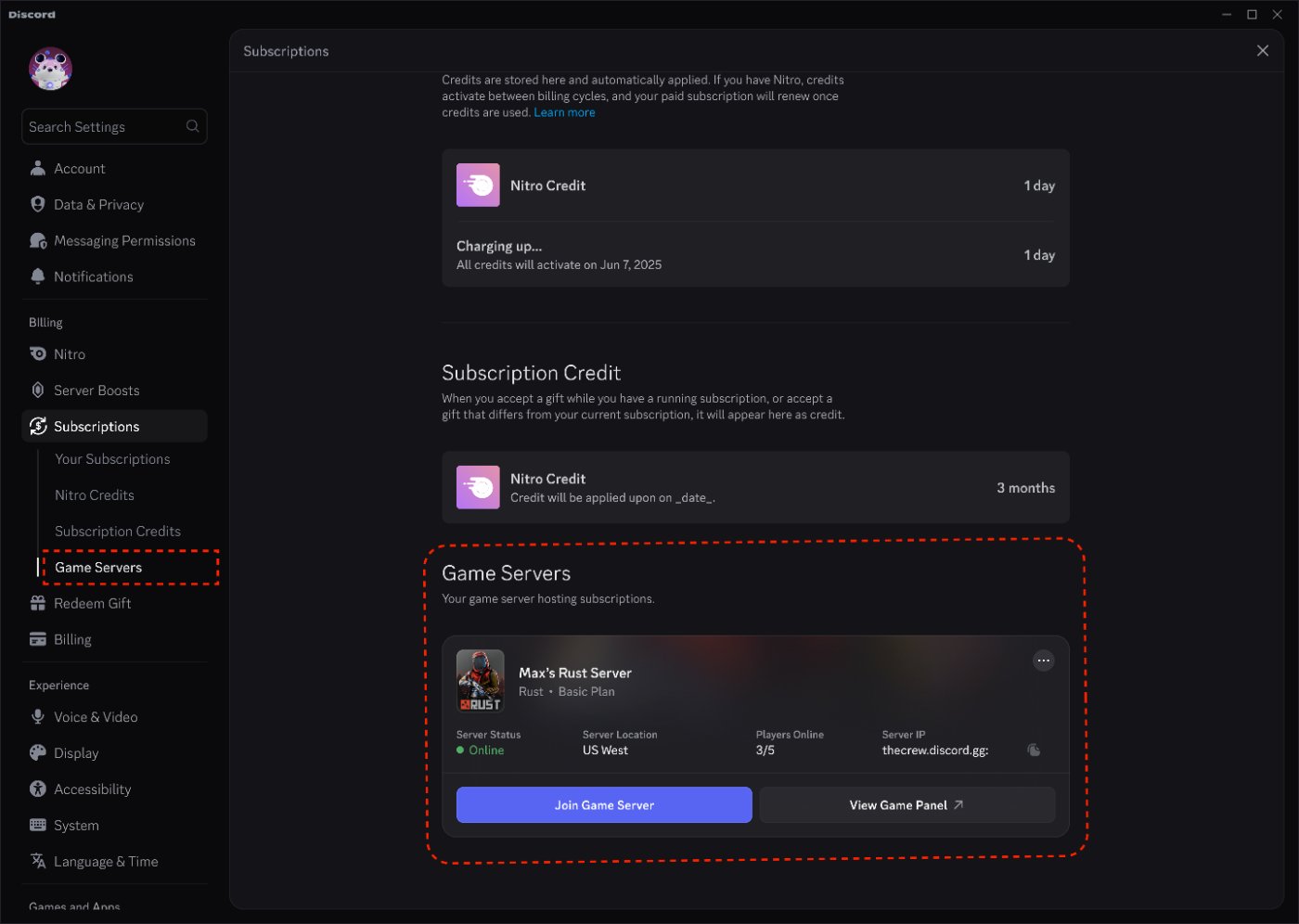
Discord doesn’t operate these machines. The creation window shows the mention “Powered by Shockbyte” along with contractual text stating that the server is hosted by Shockbyte and subject to its terms of service. Advanced management goes through a separate interface, available at discord.shockbyte.com, which requires authorization from the Discord account before opening any page.
A hosting panel: the web interface from which you start or stop a server, edit its configuration files and view its console. It’s where you set the parameters the Discord app doesn’t expose.
The platform is explicit about the consequences: these servers are not moderated by Discord and fall outside its usual safety framework. It advises enabling the moderation tools available in the game and restricting access to people you know. For any technical issue in the panel, the documentation refers to Shockbyte’s support, not Discord’s.
A life cycle worth reading carefully
Several rules commit the user beyond the monthly payment. A game server can’t be deactivated within seven days of its creation. If the required Boosts stop being applied, the server is deleted after three days. A server left inactive for at least seven days goes into hibernation, a status Discord calls “Sleeping”.
On billing, the documentation is just as direct: payments are final and non-refundable, a game server subscription can’t be gifted, and some prepaid payment methods are refused. An upgrade is billed immediately on a prorated basis and applied at once; a downgrade only takes effect at the next renewal. Finally, creation can be temporarily blocked, and a “Missing Stock” status indicates that a location has no capacity left.
The likely impact for those already running a server
What follows is analysis, not information communicated by Discord. By removing the Boost requirement, the platform significantly lowers the entry barrier: launching a shared world no longer means convincing a community to fund a collective perk. The starting point is no longer a host’s website, but the app where players already are.
For an experienced admin, the equation remains different. Somewhat ambitious uses — several linked instances, specialized extensions, backups kept for a long time, taking over an existing world — depend on what the panel actually allows, and Discord’s documentation says nothing about it. At this stage, the available information doesn’t confirm that these scenarios are covered. Linking several servers together, for example, requires full control over files and ports, as our tutorial on a Velocity proxy for Minecraft shows.
Finally, two rules are worth keeping in mind: payments are non-refundable, and servers are automatically deleted after three days without Boosts. They weigh mostly on long-term projects, where the continuity of the world matters more than ease of getting started. A regular, exportable backup should remain the first reflex, whatever platform you use.
What remains to be confirmed
Discord hasn’t announced any timeline for a wider rollout: the feature may remain experimental, expand or be withdrawn. The documentation publishes no price list in euros, no complete list of locations and no backup retention policy. The number of Boosts required can be changed by the platform, which only states that the amount will be shown before activation. Finally, nothing publicly indicates whether other games will join the list, or how quickly.
Further reading
Discord’s official “Game Servers” documentation — the reference source, updated on August 5, 2026, detailing server creation, billing and statuses.
Discord Game Panel — the management interface operated by Shockbyte, to which the Discord app redirects admins.
Shockbyte’s game catalog — useful for understanding the host that actually runs these servers.
Backing up a Palworld server before an update — the method remains valid whatever the hosting platform.
Updating a dedicated Satisfactory server to 1.2.3.1 — an example of an operation that requires full access to the server files.