


Save a payment method
Save a bank card to pay for your orders and renewals faster.
The Account → Payment Methods page lets you save a payment method. Payments are processed by Stripe: Koinswift never sees or stores your card numbers.
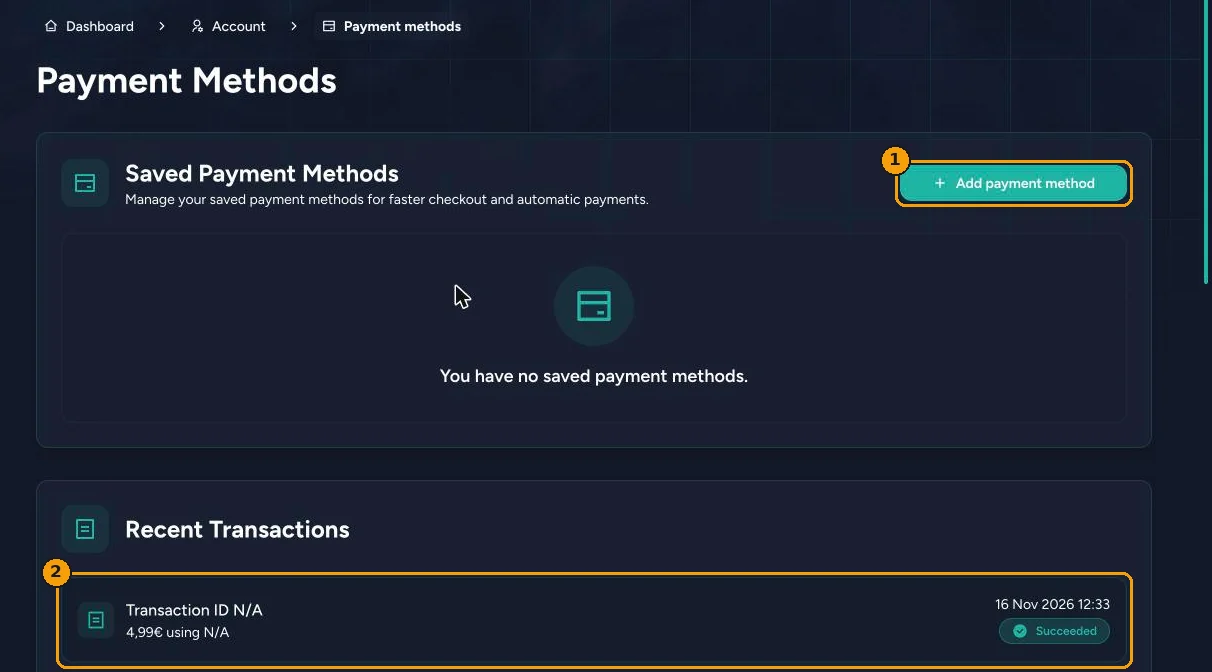
- Click “Add payment method”
A secure Stripe window opens.
- Enter your payment method
Enter your bank card, or use Link, Stripe’s service that remembers your payment methods from one site to another.
- Authorize
Click Authorize. Your bank may ask you to confirm (app or text message).
Recent transactions
Below your payment methods, the Recent Transactions list shows the amount, date and result (successful or not) of each payment.
Need a hand?
The Koinswift team answers 7 days a week, by ticket from your client area or on Discord.