


Download a backup to your computer
Keep a copy of your server at home, for example before cancelling.
Downloading a backup gives you a copy of your server outside Koinswift. It is essential before cancelling, because the files are deleted when the service ends.
- Create a recent backup
See the guide “Create a backup of your server”.
- Open the backup’s menu
Click •••, then Download.
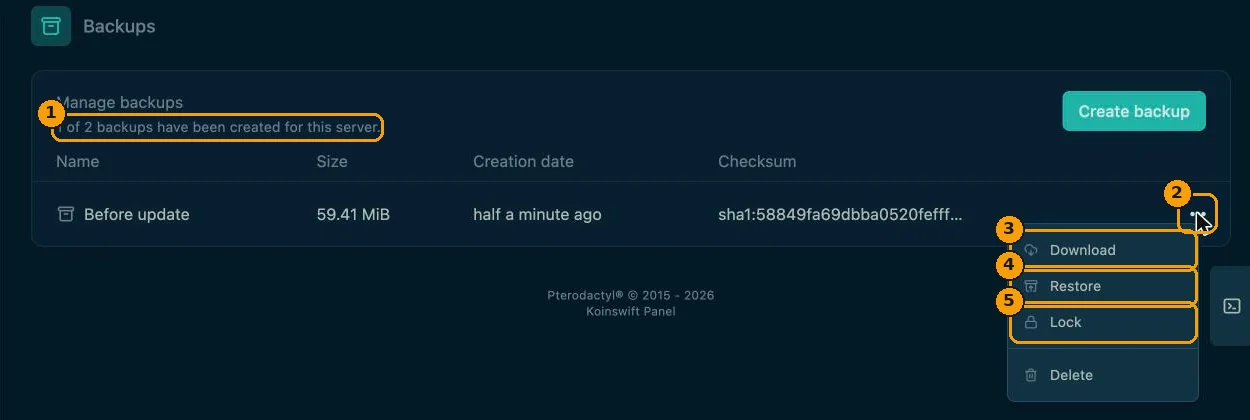
The Download option (3). - Save the file
The browser downloads a
.tar.gzarchive. It opens with 7-Zip (Windows) or directly on macOS and Linux.
The download link is temporary: if the download fails, start it again from the panel.
Need a hand?
The Koinswift team answers 7 days a week, by ticket from your client area or on Discord.