


Use a coupon code
Apply a discount code in the cart before paying.
A coupon code is applied in the cart, just before payment.
- Add your plan to the cart
On the order page, click Checkout.
- Enter the code
In the order summary on the right, type the code in the Coupon code field.
- Apply it
Click Apply. The subtotal and total are recalculated.
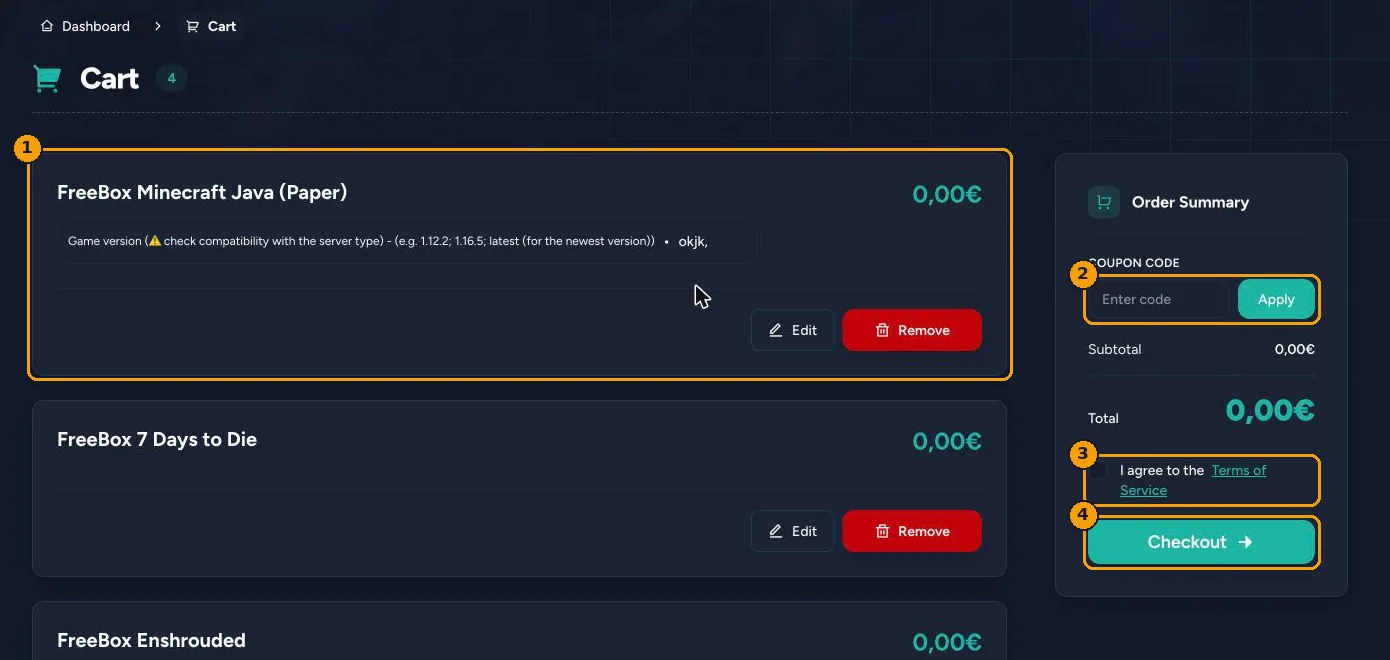
The coupon code field is in the order summary (2).
If the code is refused, check the spelling (including capital letters), its validity dates and the plans it applies to.
Need a hand?
The Koinswift team answers 7 days a week, by ticket from your client area or on Discord.