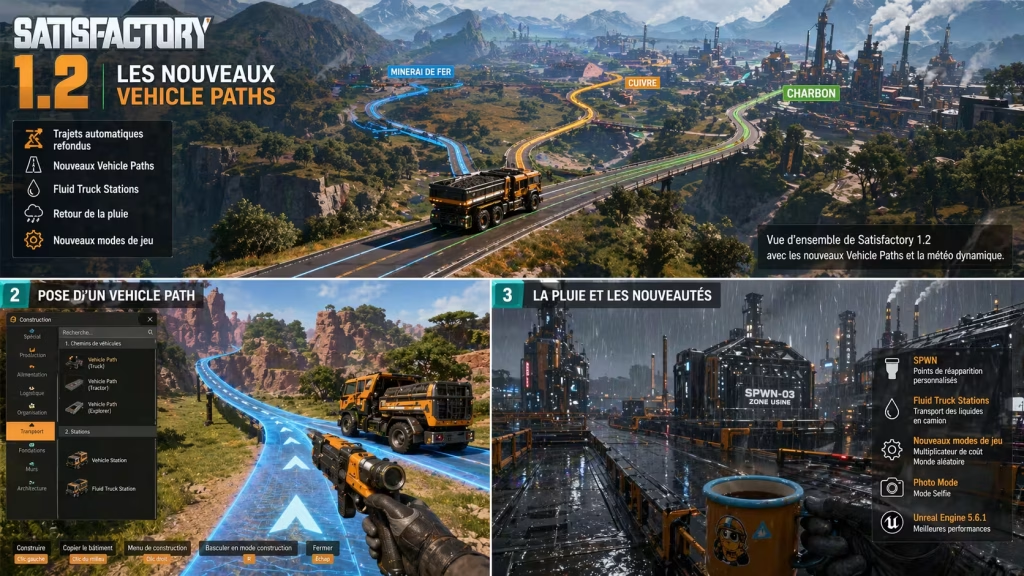
Satisfactory 1.2 completely overhauls the vehicles’ automatic routes system with the new Vehicle Paths, while adding rain, new game modes and several major improvements.
Quick summary
| 🚗 What changes | Satisfactory 1.2 replaces the old manual route recording system with a new Vehicle Paths system, closer to a network of automated roads. |
| 🧭 Goal | Make vehicle automation clearer, more reliable and easier to manage at scale. |
| 🌧️ Other new features | Return of rain, SPWN, new game modes, Fluid Truck Stations, Selfie mode and the move to Unreal Engine 5.6.1. |
| ⚠️ Good to know | Update 1.2 is available on the Experimental branch: it’s recommended to back up your game before testing it. |
Context
Satisfactory 1.2 marks an important step in the game’s evolution. This update doesn’t just add a few options or fix bugs: it tackles a core mechanic for every big factory, namely vehicle automation.
Until now, automating a truck or tractor relied on a manual recording system. You had to drive the vehicle yourself, record the route, then hope the truck would reproduce the road correctly. On paper, the system worked. In practice, it could quickly become complicated to maintain, especially in an advanced factory with several logistics lines.
With the Satisfactory 1.2 update, Coffee Stain Studios introduces a new Vehicle Paths system. The idea is simple: instead of recording a route by driving, you lay paths directly on the ground, then assign your vehicles to these routes. It’s clearer, cleaner and much closer to the logic of trains.
Good to know: if you play multiplayer, a dedicated Satisfactory server makes it more comfortable to enjoy big factories, complex logistics networks and tests on the Experimental branch.
1. What is Satisfactory update 1.2?
Satisfactory left Early Access with its 1.0 version, but the game continues to evolve with major updates. Version 1.2 continues this trend with a deep overhaul of ground logistics and several new features that improve comfort, immersion and gameplay possibilities.
The main new feature remains the overhaul of vehicles’ automatic routes, but it’s not the only notable change. This version also brings the return of rain, new respawn points, extra game options, a Selfie mode in Photo Mode, technical improvements and new stations for transporting fluids by truck.
- Complete overhaul of vehicles’ automatic routes.
- New Vehicle Paths laid directly on the ground.
- Return of rain with reworked visual effects.
- SPWN: new custom respawn points.
- New game modes to change certain starting rules.
- Fluid Truck Stations to transport liquids with vehicles.
- Move to Unreal Engine 5.6.1 to improve the game’s technical foundation.
2. Why was the route system rebuilt?
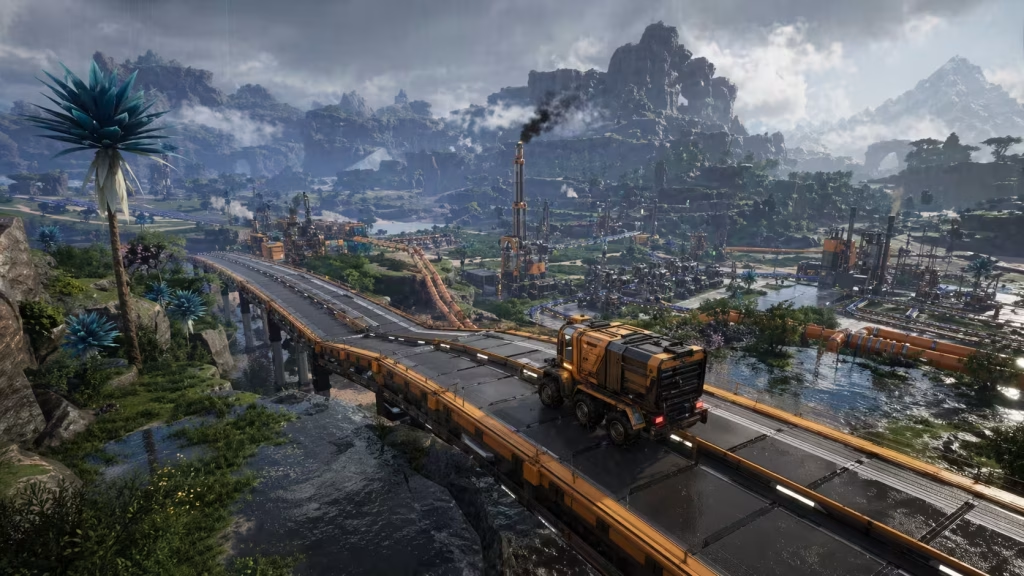
Before 1.2, automating a vehicle meant directly recording a route. The player got into the truck, started recording, drove to the destination, then the game tried to reproduce that path automatically.
This system had one advantage: it was easy to understand at first. But it quickly showed its limits. Vehicles could zigzag, get stuck, handle certain turns poorly or become hard to maintain when several routes were active in the same factory.
At scale, this became particularly frustrating. In an advanced factory, where several trucks carry ore, coal, copper or intermediate products, a single badly recorded route could disrupt an entire logistics chain.
With Vehicle Paths, Coffee Stain Studios chose a more structured approach. The player no longer “shows” the route to the vehicle by driving it: they directly build the path the vehicle must follow. This makes the system clearer and more predictable.
What to understand: the new system brings vehicles closer to the logic of trains. You lay a road, place the vehicle on it, then configure stations and routes.
3. How does the new Vehicle Paths system work?
The new system relies on three main elements: Vehicle Paths, vehicles and Vehicle Stations. Once these elements are properly connected, trucks can follow predefined routes without you needing to record the route manually.
Step 1 — Lay the Vehicle Paths
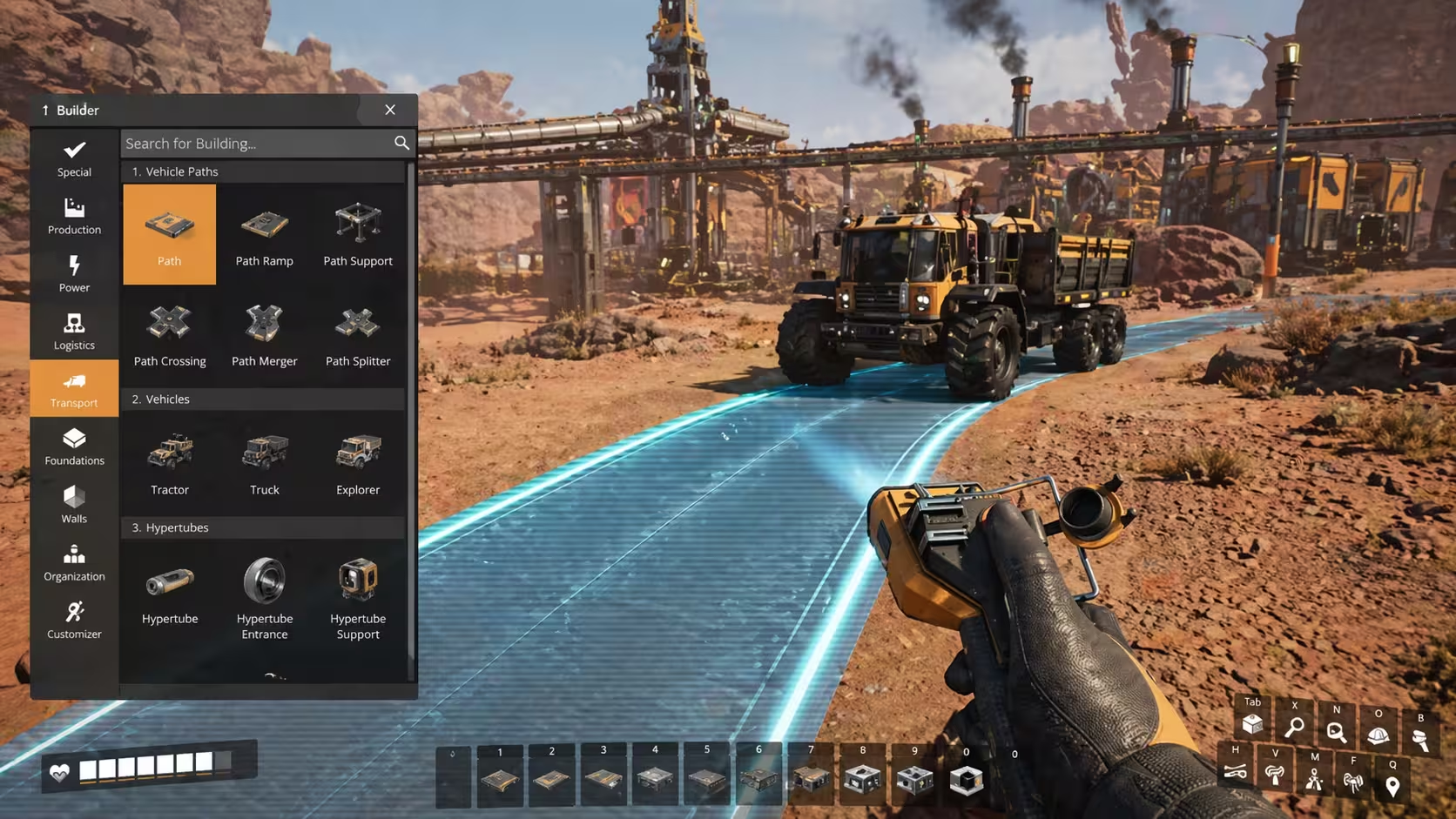
The Vehicle Path is the new core object of the system. It works like a road you lay on the ground. To use it, open the build menu, go to the transport section, then select the path suited to the desired vehicle type.
- Open the Build Menu.
- Go to the Transport tab.
- Select Vehicle Path.
- Draw your route between two areas of your factory.
Each vehicle type has its own path type. So make sure to use the right Vehicle Path for the vehicle concerned, for example an Explorer, a Tractor or a Truck.
Important: old recorded routes remain functional after the update. You don’t have to rebuild your entire logistics right away, but the new features go through the new Vehicle Paths.
Step 2 — Place the vehicle on the route
Once the path is laid, place the vehicle on it. The principle resembles placing a locomotive on rails. The vehicle locks onto the Vehicle Path and can then recognize the stations available on the network.
Step 3 — Configure the Vehicle Stations
Vehicle Stations are the vehicle’s stopping points. That’s where it will load or unload resources. They therefore play an essential role in automating your logistics network.
- Place a Vehicle Station on your network.
- Connect the input and output conveyors as needed.
- Assign the vehicle to the relevant stations.
- Create a route between the different loading and unloading points.
The system thus becomes much closer to an organized network. You can view stations, define routes and better understand what each vehicle is doing.
Step 4 — Optimize your routes
Once the basics are in place, the point is to optimize the network. Vehicle Paths make it possible to better organize flows, differentiate certain routes and build cleaner logistics between extraction areas, intermediate factories and main hubs.
- Use simple routes for the first tests.
- Avoid tight intersections at first.
- Create dedicated itineraries for important resources.
- Use path colors to distinguish your logistics lines.
- Combine vehicles and trains to better handle long distances.
This new system becomes particularly powerful when trucks feed train stations, or when trains unload to Vehicle Stations. The logistics chain then gains flexibility.
4. Satisfactory 1.2’s other important new features
Even though Vehicle Paths are the main new feature, update 1.2 contains several important additions worth mentioning.
The return of rain
Rain returns to Satisfactory with reworked visual effects. The goal is to strengthen immersion without sacrificing performance. Buildings, the environment and the general atmosphere benefit from livelier rendering, especially in large outdoor factories.
SPWN: new respawn points
SPWN let you define custom respawn points. For players who build far from the HUB, explore dangerous areas or work on several distant industrial sites, it’s a very handy improvement.
New game modes
The update also adds new game modes when creating a game. They let you change certain basic rules, such as building costs or resource distribution. It’s particularly interesting for restarting a game with different constraints or for creating challenges among friends.
Fluid Truck Stations
Another major new feature: vehicles can now take part in fluid transport thanks to Fluid Truck Stations. This opens up new possibilities for moving water, oil or fuel without relying solely on pipelines over long distances.
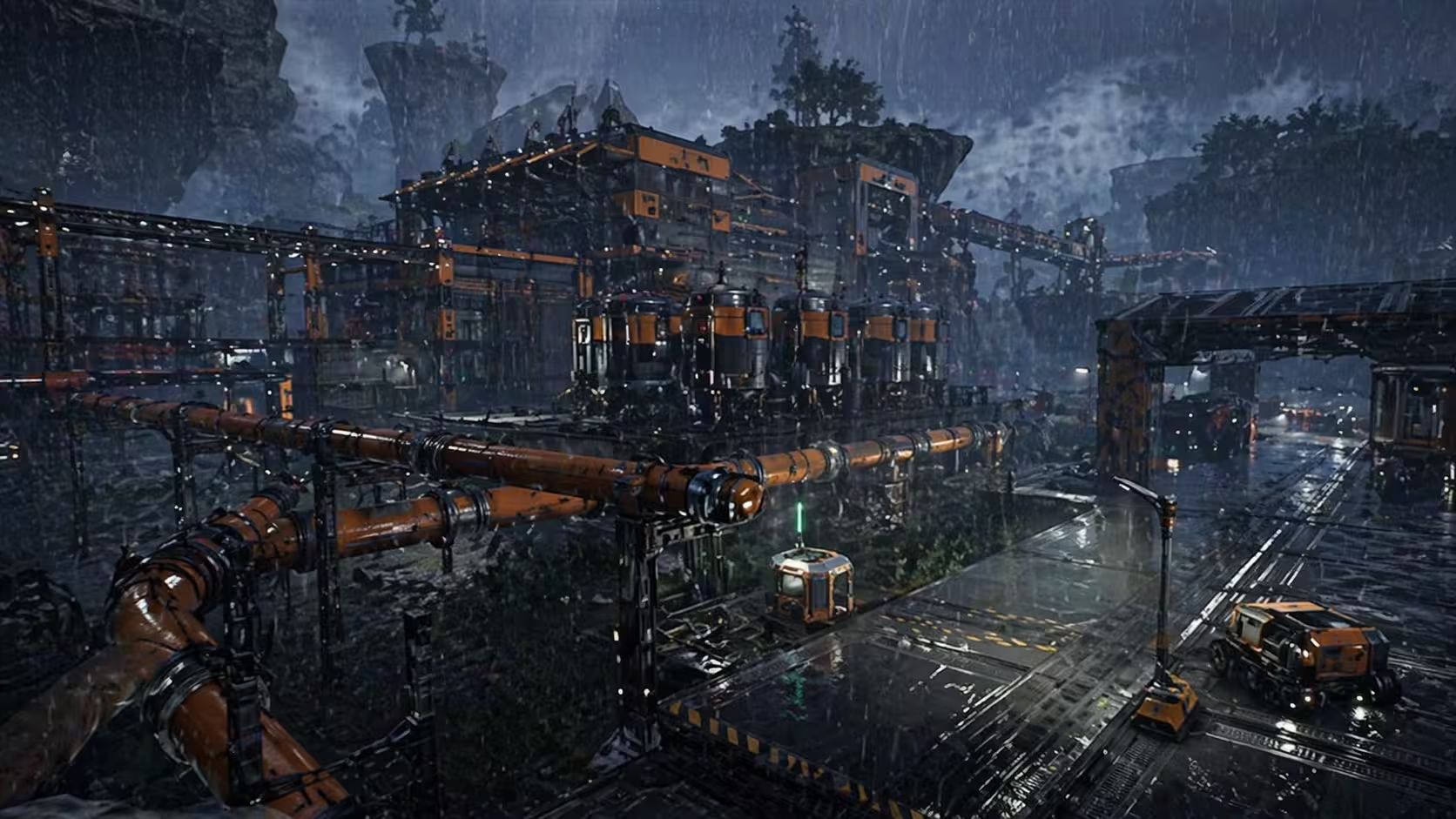
Why it’s interesting: Satisfactory 1.2 isn’t limited to improving vehicles. The update also strengthens immersion, game options and overall logistics flexibility.
5. How to access the Experimental branch?
Since update 1.2 is available on the Experimental branch, it’s important to take a few precautions before testing it. An Experimental branch can contain bugs, unstable behavior or changes that aren’t fully finalized yet.
Before you start: back up your game and blueprints before switching to the Experimental branch. This lets you roll back if there’s a problem.
On Steam
- Right-click Satisfactory in your Steam library.
- Open Properties.
- Go to the Game Versions & Betas tab.
- Select the experimental branch.
- Let Steam download the update.
On Epic Games Store
On Epic Games Store, the Experimental version is usually offered as a separate entry. Look for Satisfactory Experimental in your library, then install it independently of the main version.
Where to back up your files?
Before any operation, copy your saves and blueprints to a safe folder. This prevents you from losing an important game in case of a bug or a return to the Stable branch.
Usual save location:
%LocalAppData%\FactoryGame\Saved\SaveGames\[YOUR ID]\
Usual blueprints location:
%LocalAppData%\FactoryGame\Saved\SaveGames\blueprints\
6. Frequently asked questions about Satisfactory 1.2
Is update 1.2 available on console?
Version 1.2 is first available on the PC Experimental branch. Console availability will depend on Coffee Stain Studios’ official schedule.
Will my old truck routes still work?
Yes, old recorded routes remain functional. You can therefore migrate gradually to the new Vehicle Paths without having to rebuild everything right away.
Is the Experimental branch risky for my save?
It may contain bugs. It’s therefore strongly recommended to copy your saves and blueprints before using it.
When will the Stable version be available?
The date will depend on the state of the Experimental branch and the fixes made by the developers. Follow Coffee Stain Studios’ official announcements for confirmation.
Do the new game modes disable achievements?
According to the information shared around this update, some new modes are designed to be used without necessarily disabling achievements. It’s still advisable to check the exact conditions in game when creating your game.
Conclusion
Satisfactory 1.2 is a particularly important update for all players who use vehicles in their logistics chain. The new Vehicle Paths bring a clearer and more reliable method for automating routes, especially in large factories where several vehicles must run at the same time.
With the return of rain, SPWN, new game modes and Fluid Truck Stations, this version doesn’t just improve one system. It makes the experience richer, more comfortable and more flexible, both solo and in multiplayer.
If you want to test 1.2 right now, remember to back up your game before switching to the Experimental branch. And if you play with others, a dedicated server lets you enjoy big factories and new features more calmly without depending on the game’s host.
💡 Key takeaway
Satisfactory 1.2 introduces Vehicle Paths, a major overhaul of vehicles’ automatic routes. The update also adds rain, SPWN, Fluid Truck Stations and new game modes. Before testing the Experimental branch, always back up your game.