


Open a support ticket
Contact the Koinswift team with a well-filled ticket to get a fast answer.
Support replies 7 days a week, within 8 hours at most, with priority given to incidents.
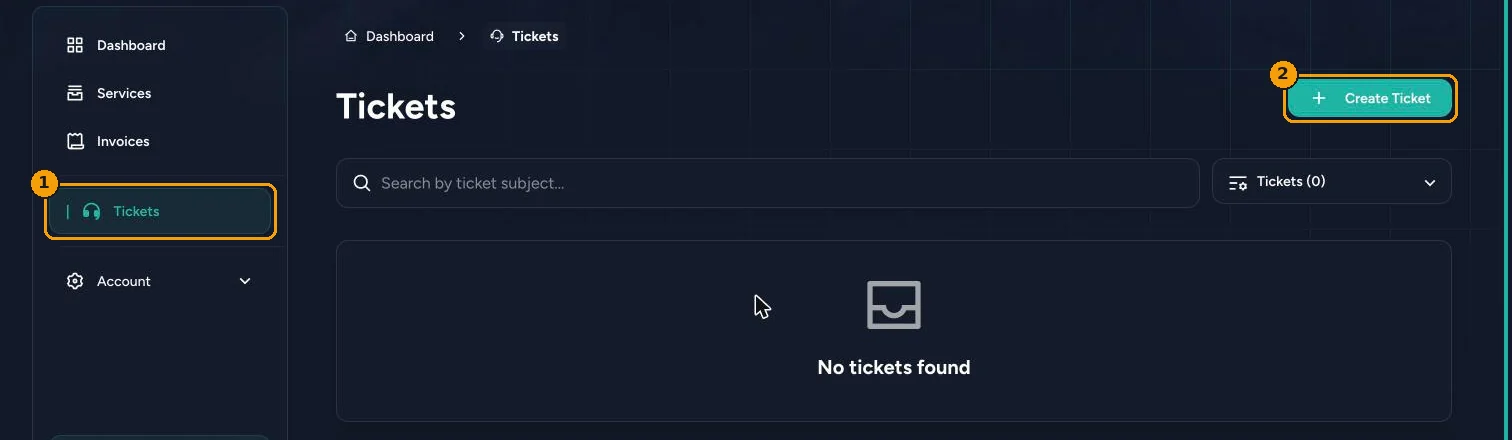
- Open Tickets → Create Ticket
In the client area menu.
- Fill in the form
A short, precise subject; the department (Support for a technical problem, the sales department for a commercial question); priority; the server concerned.
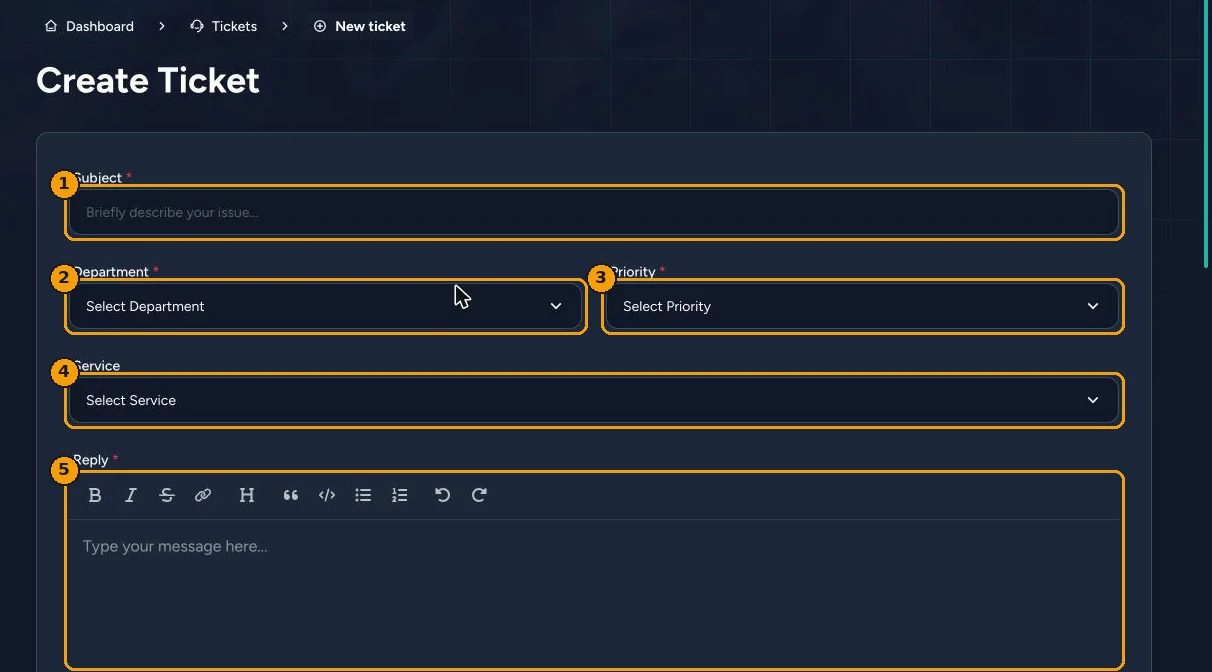
Subject (1), department (2), priority (3), server concerned (4), message (5). - Describe the problem
What you were doing, what is happening, since when, and what you have already tried.
- Add a screenshot if useful
Attachments area (files up to 10 MB), then click Create.
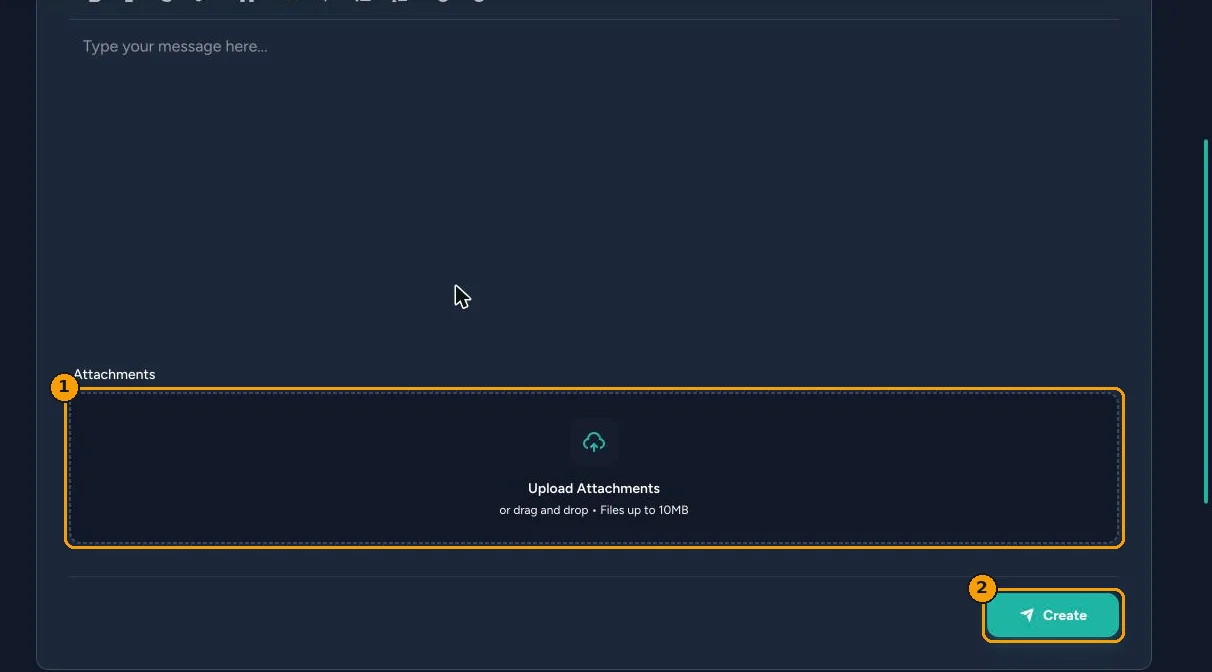
Attachments (1) and Create button (2).
For a server that will not start, attach the last lines of the console or the log file: that is often enough to find the cause first time.
Never send your password in a ticket: the team will never ask you for it.
Need a hand?
The Koinswift team answers 7 days a week, by ticket from your client area or on Discord.